
Product / Guest experience
It starts
with a simple request.
The in-room tablet helps guests contact a hotel team, find information and discover available offers. Guests can see request status and know when their request has been accepted.
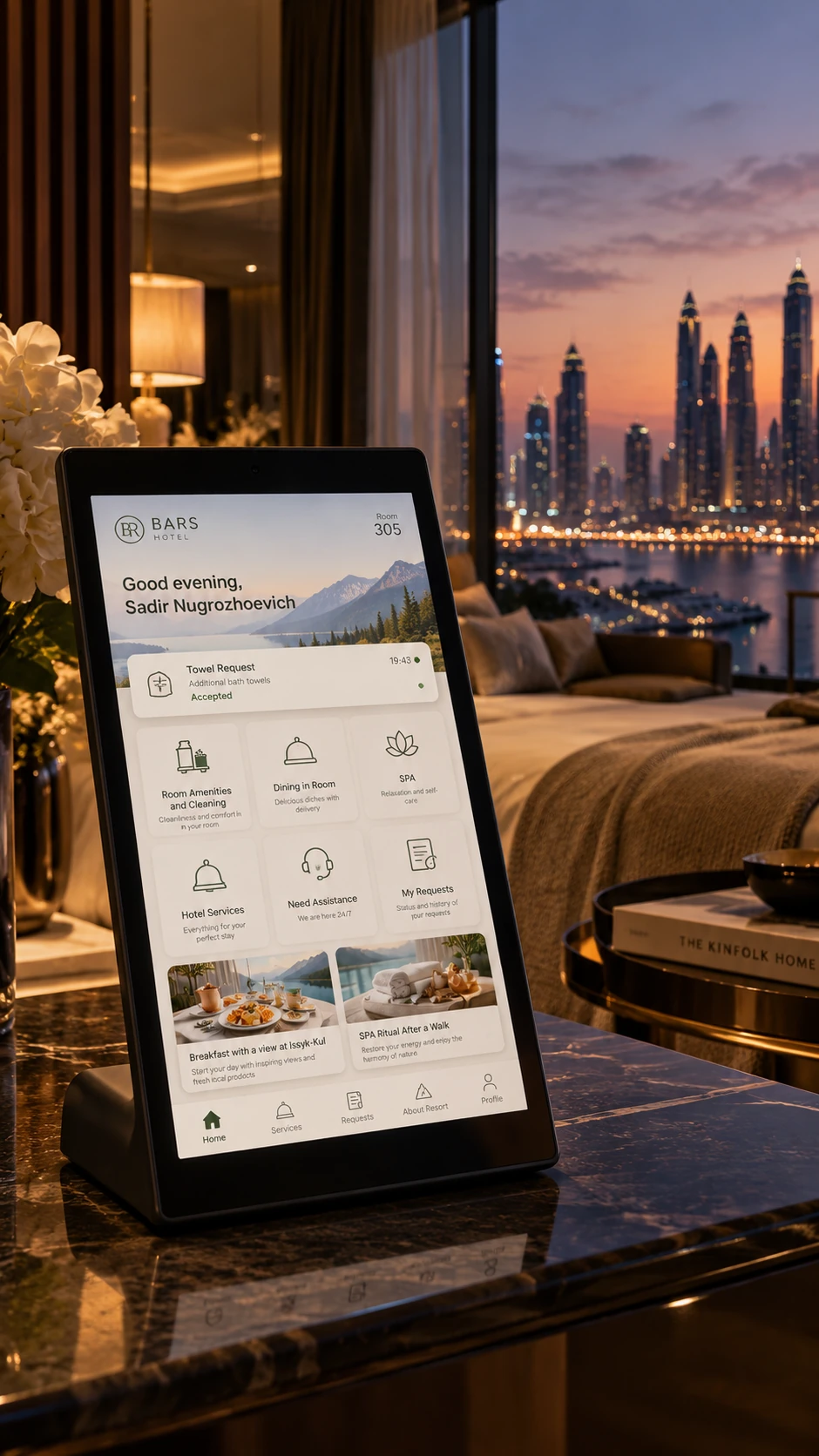
From selection to an update
Towels. Cleaning. Assistance.
Guests specify what they need when sending a request. Staff receive clear details, and guests get updates on its progress.
Hotel information and services
Help guests discover
what your hotel offers.
Hotel information and offers sit alongside everyday services. Guests can discover ways to enjoy their stay, and the hotel can introduce more of what it offers.
After an enquiry is sent, the relevant team checks availability and agrees the details with the guest.
After the service
Let guests know
the service is complete.
A message after cleaning tells guests that their room has been taken care of. If something is missing, they can reply or create a new request whenever it suits them.
How staff send an updateAnother way to connect
Continue on a phone.
QR mobile access and connections to a hotel app are scoped as part of the project. Workflows and technical feasibility are confirmed before deployment.
More about integrationsPractical questions
Do guests need to install an app?
No app installation is needed to use the in-room tablet. Mobile access is scoped separately.
Can the interface match our hotel?
The project includes branding: your logo, visual styling and agreed guest content. Bespoke design is quoted separately.
Can guests still speak to staff directly?
Yes. Screon adds a convenient channel for services and information. Your hotel chooses which requests are available on the tablet.
Next step
See how Screon could work in your hotel.
We will follow a request from guest to staff and discuss the first services for your pilot.