
Residential
Digital noticeboard for entrances and lobbies
Replaces paper notices with a managed screen: official messages from management and fast staff updates via DealerCast.
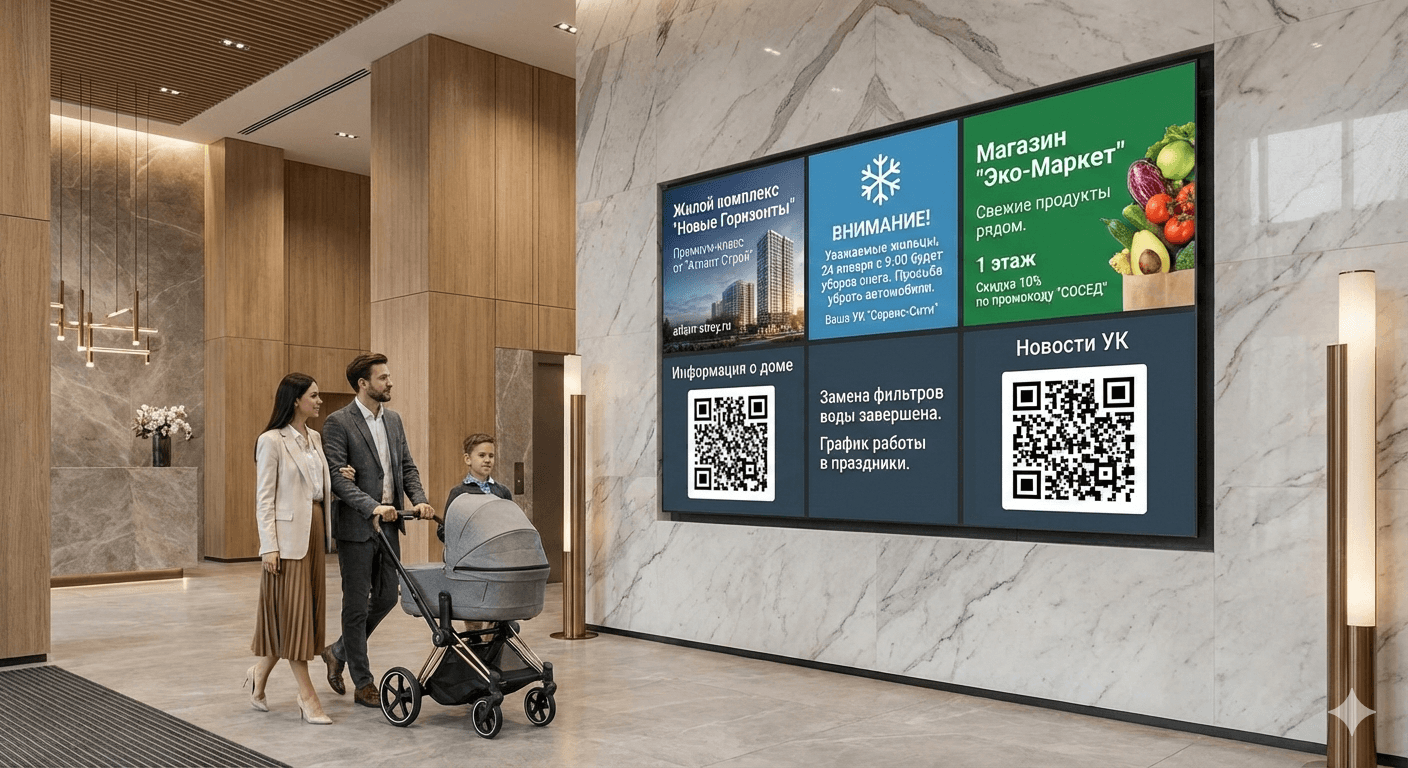
Screon Entrance Board is a screen in the entrance that shows only current and confirmed information: outages, works, meetings, warnings, contacts, and “right now” notices.
Role-based access•Notice templates•Auto-expiring posts•Publishing logs & reports
Problem and solution
From paper to a managed screen — without chaos and with full accountability.
Paper notices lose their value
- Paper notices get torn down, covered, or ignored
- No proof that residents were notified
- Everyone writes “however they want”
- Noise, clutter, and distrust
Result: residents do not trust notices and complain “we were not informed”.
A managed channel instead of chaos
- One style and rules for all messages
- Source signature, date, and validity period
- Fast updates without printing or posting
- Transparent history: who posted what and where
Result: every notice is confirmed and controlled.
See the interfaceValue for every stakeholder
Property management / HOA
A controlled communication channel for the building: regulations, incidents, works, meetings, reports — fast and official.
Developer / real estate
Project-wide announcements: commissioning, service modes, and general notifications across the estate.
Residents
Up-to-date information instead of paper noise: clear, large, with a QR link to details and documents.
On-site staff (DealerCast)
A message in a minute: snow clearing, move your car, temporary entrances — sent from a phone via template.
Official notices + local updates — one system
We separate sources and access rights to keep the screen useful and controlled.
Official notices from management / developer
Posts are signed by the source, have an expiration date, and target selected entrances/buildings. Ideal for critical information and regulations.
Water / power outages
Planned works and repairs
Owners meetings
House rules and contacts
Operational updates from staff
Concierge, janitor, or technician sends a message from a phone. Templates only, limited duration, fully logged.
“Move cars — snow clearing at 08:00”
“Courtyard entrance closed until 18:00”
“Lost keys — contact security desk”
Process gallery
From publishing to screen — in 3 steps
See the full flow: official template, operational message, and the final resident screen.

Management console
Template with mandatory fields, signature, and expiration date.

DealerCast on a phone
Short staff flow: 1–2 fields and send.
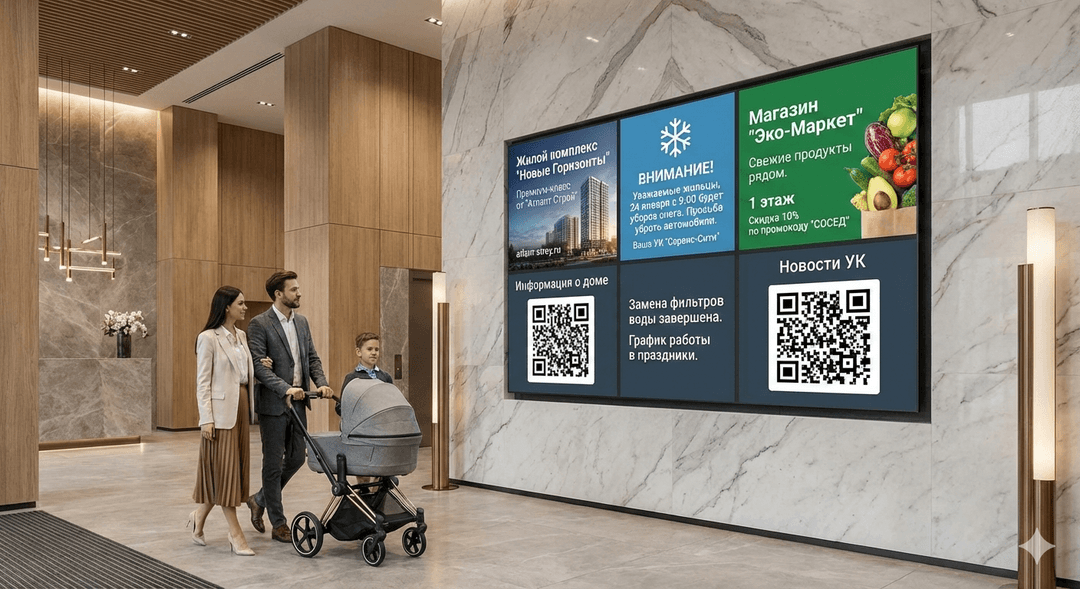
Resident screen
1–3 main notices + a feed of short messages.
Typical scenarios
Incidents and outages
The message appears immediately and stays until the event ends.
Planned maintenance
Schedule, dates, and responsible contacts.
Cleaning and parking
Quick requests via DealerCast.
Meetings and voting
Agenda, QR to documents, and reminders.
Security
Warnings, access rules, and alerts when needed.
Building services
Dispatcher contacts, schedules, regulations, and memos.

Emergency notice with “important” tag
Maintenance schedule and contractor contact
Short note from staff

Meeting announcement with QR

Access rules and alerts
Contacts and memos on screen
Three versions for different placement conditions
Base
For entrances and lobbies. Standard mounting.

Anti-Vandal
Protected enclosure, glass, concealed mounting, tamper sensor.

Outdoor / Entrance
High brightness, weather protection, for entrance groups.
We will select the right size and placement for your entrance — from compact to large panels.
Get a configuration proposalExpandable
Entrance Board starts as a standalone notice system and can be extended with additional modules.
Screen under control: roles, logs, limits
Roles and access
Different levels for management and staff, with no overlap.
Templates
One visual standard and required fields for every notice.
Expiration dates
Notices do not linger and disappear automatically.
Publishing log
Who sent what and to which screens.
Emergency mode
Priority messages overlay everything — management only.
Offline mode
If the network fails, the last approved content stays on screen.
Screen gallery
Browse interface examples and open images full-screen.
Let’s run a pilot in your building
Get in touch — we will select the setup, approve placement, and show what the entrance screen will look like.
A pilot is the fastest way to see the effect and resident response.
Contacts and communication channels are available on the Contacts page.
Pilot and estimate
We will help launch a pilot
We will answer questions, propose placement options, and align scenarios for your building.
We will recommend the optimal size and enclosure type.
We will prepare notice templates and access roles.